Part of my AI & code experiments. If you are weighing self-hosted models for your organization, see my private AI deployment page, and for serving a whole team rather than one machine, see How to Run LLMs Inside Your Company Network.
You do not have to send every prompt to someone else’s API. With Ollama you can run capable open models right on your own machine, and when a model is too big for your laptop, offload it to the cloud without changing how you work. Here is how I run models both ways.
Why run models yourself?
- Privacy: your code and data never leave your machine.
- Cost: no per-token bill for everyday experimentation.
- Offline: it keeps working on a plane or a flaky connection.
- Control: pin a model version and swap models freely.
Run a model on your local machine
Install Ollama for your platform:
# macOS or Linux
curl -fsSL https://ollama.com/install.sh | sh

# Windows (PowerShell)
irm https://ollama.com/install.ps1 | iex
Prefer a graphical install? Download the app from ollama.com/download. There is also an official ollama/ollama Docker image.
Now pull and chat with a model. The first run downloads the weights; after that it is instant:
# download and chat in one step
ollama run gemma3

# or just download for later
ollama pull qwen3

# see what you have installed
ollama list
Browse the full catalogue (Llama, Gemma, Qwen, Mistral, DeepSeek, gpt-oss and many more) at the model library. As a rule of thumb, smaller models (1B–8B) run comfortably on a modern laptop; larger ones want a dedicated GPU and plenty of RAM.
Call it from your code
Ollama runs a local server on port 11434, so your apps can talk to it over HTTP:
curl http://localhost:11434/api/chat -d '{
  "model": "gemma3",
  "messages": [{ "role": "user", "content": "Explain a B-tree in one paragraph" }],
  "stream": false
}'
It also exposes an OpenAI-compatible endpoint, so a lot of existing tooling works by just pointing the base URL at http://localhost:11434/v1. There are first-party SDKs too: pip install ollama for Python and npm i ollama for JavaScript.
When your laptop is not enough: the cloud
Some models are simply too large to fit on a personal machine. Ollama Cloud runs those on hosted hardware while you keep the exact same commands and tools. Sign in, then run a cloud model. They carry a -cloud suffix:
ollama signin
ollama run gpt-oss:120b-cloud
To reach cloud models from your own code, create an API key at ollama.com/settings/keys and set it as an environment variable:
export OLLAMA_API_KEY=your_api_key
# then call the https://ollama.com/api/ endpoints
Ollama Cloud is not the only cloud path. You can also rent a GPU instance from any cloud provider and run Ollama on it exactly as you would locally, or fall back to a fully managed inference API. The trade-off is always the same: more horsepower and bigger models in exchange for cost and sending your data off-box.
Local or cloud: which should you pick?
- Reach for local when the data is sensitive, you are iterating quickly, or a small/medium model is good enough.
- Reach for the cloud when you need a frontier-sized model, more speed, or you do not have a capable GPU on hand.
Stay the quality control
Running a model yourself does not change the golden rule: the output is a draft, not the truth. Open models can be smaller and more prone to mistakes, so verify what they produce, test generated code, and never paste anything you do not understand into production. The upside of local is real privacy: use it, and keep your sensitive data on your own machine.
Models and commands change fast, so check the official Ollama docs for the latest.
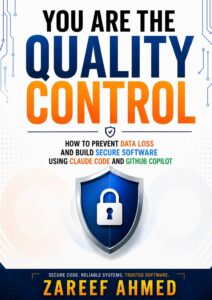
You Are the Quality Control
AI assistants and local models lets you write code faster than ever, but speed without judgement is exactly how bugs, data loss and security holes slip in. My book You Are the Quality Control is a practical guide to building secure software in the age of AI-assisted development, so you can move fast with tools like AI assistants and local models without compromising security, reliability or data safety.
Inside, you’ll learn how to:
- Review AI-generated code with a security-first eye, so risky changes never reach production.
- Put the right foundation, infrastructure and guardrails around AI-assisted projects.
- Build the habits and quality-first mindset that prevent data loss and costly mistakes.
- Stay the human in the loop, because the most important layer of quality control is still you.
