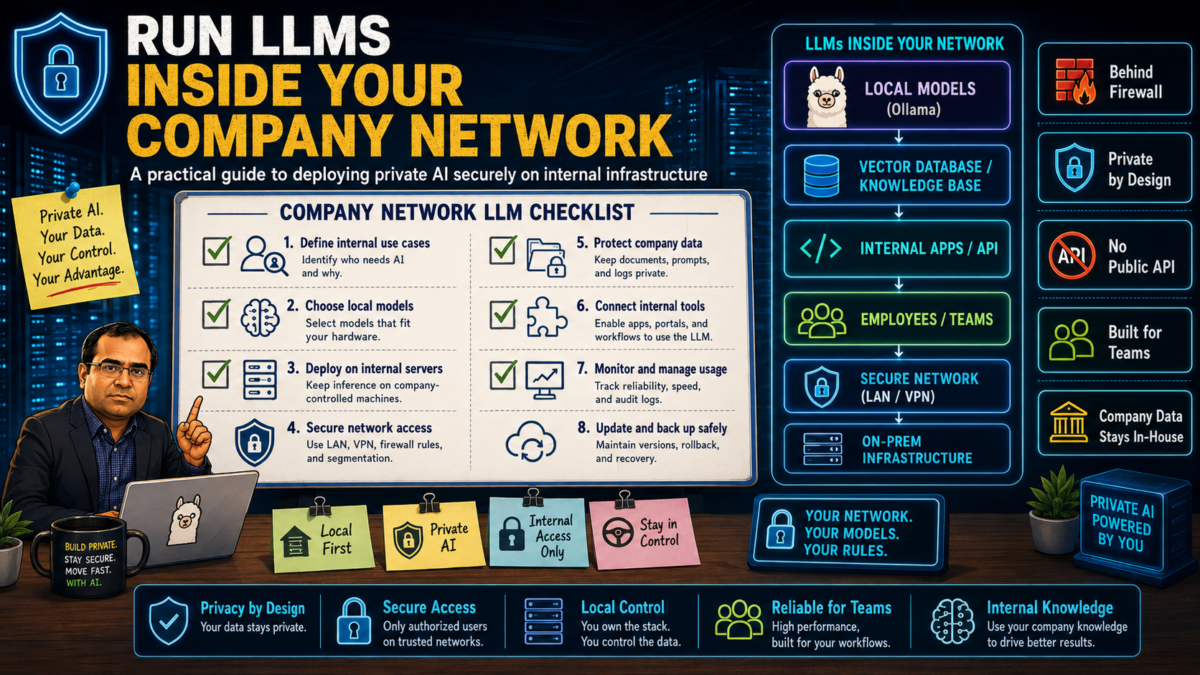
Running an open model on your own laptop takes fifteen minutes; my Ollama guide covers that. Running LLMs for a whole company is a different job: shared hardware, concurrent users, access control, and a service your colleagues depend on. That is infrastructure work, and like all infrastructure work it rewards doing a few unglamorous things in the right order. This is the order I use in private AI deployments.
1. Decide what the deployment must serve
Everything downstream (hardware, serving stack, budget) depends on the workload mix, so write it down first:
- Coding assistants: many small, latency-sensitive requests all day. Needs consistent sub-second first tokens far more than it needs a giant model.
- Internal knowledge search (RAG): retrieval plus mid-size generation. Needs an embedding model as well as a chat model.
- Batch work: summarization, classification, report drafting. Throughput matters, latency does not; it can run off-peak on the same hardware.
Most companies start with one of these, and the honest recommendation is: pick one, ship it, and let the second workload justify itself with evidence from the first.
2. Size the hardware from the model, not the other way around
The binding constraint is GPU memory. A quantized 8B-class model is a comfortable fit on a single 24 GB card and covers more workloads than people expect; 70B-class models want 48 GB or more, or multiple cards. Concurrency multiplies the need: each simultaneous request holds context in memory, so a team of forty engineers hammering a coding assistant needs headroom a single-user laptop setup never sees.
Two practical notes from the field. First, inventory what you already own before buying anything; idle workstation GPUs and an underused ML server have started more than one successful pilot (my open-source tool ailane reports what a given machine can run). Second, buy for the pilot, not the vision: one well-specified GPU server that proves value beats a rack purchased on faith.
3. Choose the serving layer
You need a process that loads models and exposes an HTTP API. The two sensible defaults:
- Ollama: the simplest path from zero to a served model, the same tool your engineers may already run locally. Fine for pilots and small teams; its scheduling is basic under heavy concurrency.
- vLLM (or a comparable batching server): built for concurrent load, with continuous batching that keeps GPU utilization high when many users share one card. The right choice once a deployment is real.
Whichever you choose, put it behind an OpenAI-compatible API (both offer one). This one decision keeps you unlocked: nearly every tool, library, and editor integration speaks that protocol, so you can swap models and even serving stacks later without touching the clients.
4. Place it correctly in the network
The entire point of this exercise is that prompts and code never leave your network, so treat the inference endpoint like any internal service that handles sensitive data:
- Internal subnet or VPC only, with no inbound route from the internet. An LLM endpoint exposed publicly is somebody else’s free compute within days.
- Internal DNS name and TLS, so clients are configured once and traffic is encrypted in transit even inside the perimeter.
- Outbound internet access only for pulling model weights, ideally through an egress proxy from a separate management host. Fully air-gapped sites can transfer weights by artifact repository or physical media; plan the update path on day one, because model updates are a when, not an if.
5. Put identity in front of it
Model servers ship with weak or no authentication, because they assume a trusted host. Do not extend that assumption to a whole company network. A reverse proxy in front of the endpoint (nginx, Caddy, or an API gateway you already run) gives you the three things you will need within a month of launch: authentication (API keys per team, or SSO integration), rate limits so one runaway script cannot starve everyone, and request logging with prompts excluded or redacted; log who called and how much, not what they asked.
6. Connect the tools your people actually use
Adoption happens in the editor, not on a dashboard. Point coding assistants and internal apps at the internal endpoint via the OpenAI-compatible API, and publish a two-line configuration snippet per tool so setup is copy-paste. The security posture of these tools still matters inside your own walls; my article on the security risks of AI coding tools covers the review discipline and agent permissions that stay necessary even when no code leaves the network.
7. Operate it like a service, because it is one
- Monitoring: GPU utilization, queue depth, and time-to-first-token tell you when capacity or configuration needs attention, before your users tell you louder.
- Evaluation: keep a small suite of representative prompts with known-good answers and run it whenever you change a model or quantization. Vibes are not a regression test.
- Model lifecycle: new open models arrive monthly. Decide who evaluates them, who approves promotion, and how rollback works. A pinned, known-good model beats a bleeding-edge one that changed behavior overnight.
- Capacity plan: usage grows when the tool is good. Watch the utilization trend and decide the second GPU purchase on data.
What not to do
The three failure modes I see most: exposing the endpoint to the internet “temporarily”; calling a collection of individual laptop installs a deployment (no shared capacity, no access control, no update story); and skipping evaluation entirely, so nobody notices the quantization change that quietly degraded answers. All three are avoidable with the steps above, and all three are much more expensive to fix after launch than before.
Next steps
If you are still deciding whether self-hosting is right for your organization at all, start with On-Premise AI vs Cloud AI. For the wider picture of what I deploy and how engagements work, see the private AI deployment consulting page. And if you want an experienced hand for the assessment or the deployment itself, tell me about your situation.
